
Upon renewal of your DD-STAT subscription, we will notify you to update your local product license key.
Please follow the steps below to update your license:
- Open License Manager.
- Do not uninstall/remove the existing license.
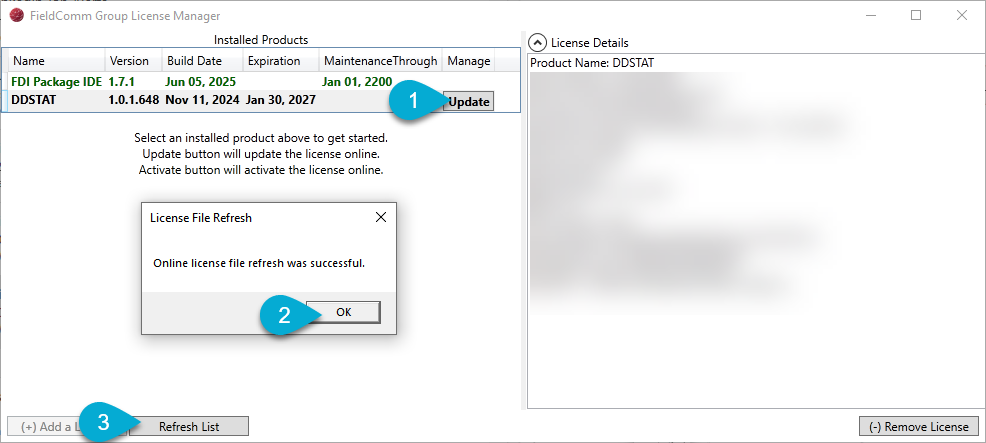
- Click the DDSTAT Installed Product, click on the Update button under Manage.
- You should see a dialog: "License File Refresh: Online license file refresh was successful." Click OK.
- Click on Refresh List and the Expiration should be updated in the DD-STAT Installed Product license.
To check if you are running the latest released version of DD-STAT and FDI IDE, please check the Online Documentation.